Before you start
Letter or A4 paper
The spacing you need (for example 1/4 inch grid)
Whether you want a name and date line
Step-by-step
Choose the type
Graph paper, dot grid, lined paper, handwriting paper, isometric dots or Cornell notes.
Set spacing and color
Grid offers 1/4, 1/5 and 1/8 inch plus metric; lined paper offers wide (11/32") and college (9/32") ruled; handwriting rows come in K–1 sizes.
Add a header if needed
Choose "Name & date line" for worksheets and Cornell notes.
Choose pages and download
Pick 1 to 20 pages and download the PDF.
Print at actual size
Set scaling to 100% so the spacing is exact.
See it on screen
Captured on October 31, 2026 by running the tool with no input file. All sample data is fictional.
Default: 1/4-inch grid on Letter
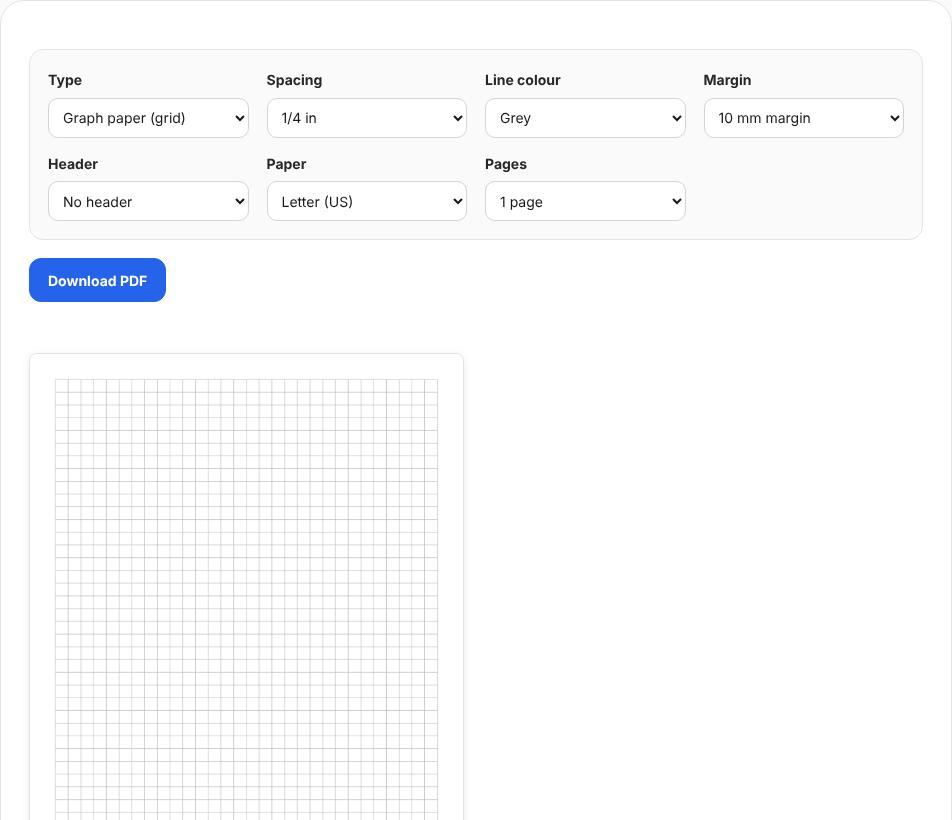
The English page opens with quarter-inch graph paper on Letter. The saved one-page PDF was about 1.4 KB. Handwriting paper with name line
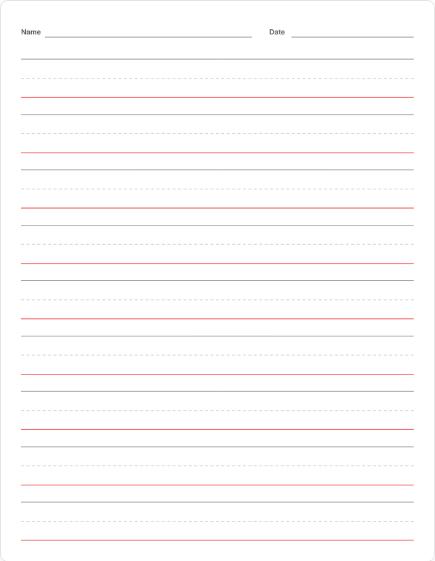
Handwriting paper shows a solid top line, a dashed midline and a red baseline, with a name and date line at the top. Cornell notes
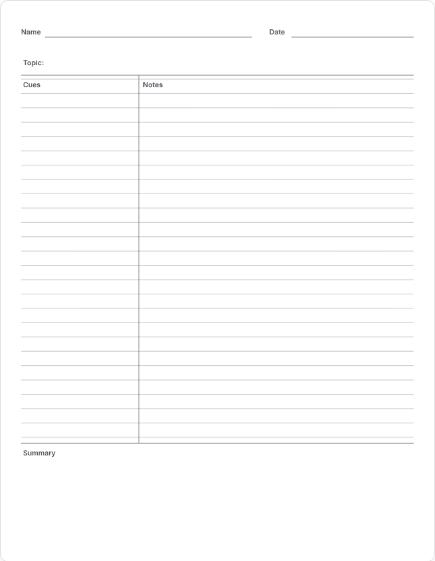
Cornell notes add the cue column, the notes area and a summary box at the bottom.
Worked example
Illustrative example
Quarter-inch grid on Letter
The default English page makes 1/4-inch graph paper on Letter; the one-page PDF was only about 1.4 KB because the lines are vector, not an image.
- Type
- Graph paper, 1/4 in
- Paper
- Letter
- Header
- None, or name and date
- Actual size
Check the result
- Four squares measure one inch with a ruler.
- Lines are light enough to write over.
- The header prints at the top if you chose one.
Limits and tips
- "Fit to page" shrinks the spacing; use actual size.
- Very fine 1 mm grids may look faint on some printers; choose a darker line color.
- Nothing is uploaded.
Questions
Can I use it in GoodNotes?
Yes, import the PDF.
College ruled?
Yes, 9/32 inch.
Dot grid for bullet journals?
Yes, choose dot grid.
Try it with your own file
Open the tool and review the result before sharing it.