Before you start
Step-by-step
Choose the label sheet
Pick the size printed on the label box: 30 per sheet (5160/8160), 10 (5163), 6 (5164), 20 (5161) or 80 small return labels (5167).
Paste addresses
Separate labels with a blank line. The first line can be bold. Text shrinks to fit long lines.
Or fill a sheet with one label
For return address labels, choose "Same label on the whole sheet" and type it once.
Skip used labels
On a partly used sheet, enter how many labels to skip; printing starts after them.
Test on plain paper, then print
Turn on outlines, print one page at actual size (100%), hold it against a label sheet to the light, then print on labels with outlines off.
See it on screen
Captured on October 31, 2026 by running the tool with three fictional addresses (Jane Smith, The Lee Family, Maria Garcia). All sample data is fictional.
Sheet, fill mode and addresses
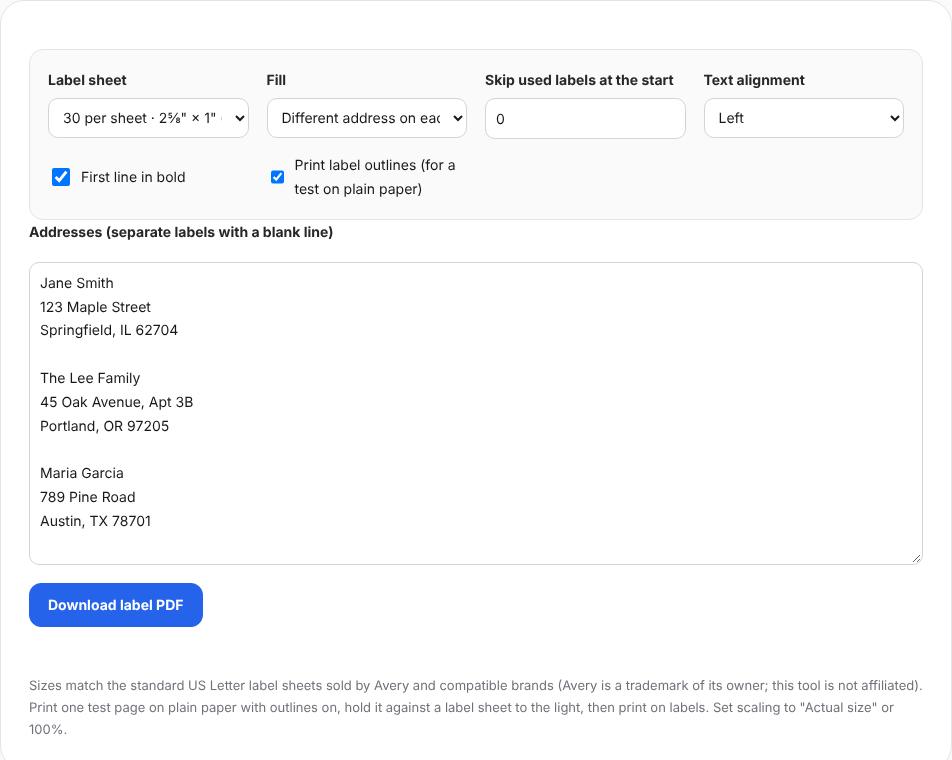
The 30-per-sheet size is selected, with three addresses separated by blank lines and "Print label outlines" turned on for a test print. Test page with outlines

The saved PDF (one Letter page) placed the three addresses in the first row, with outlines showing each label’s edges. Return labels, 4 skipped
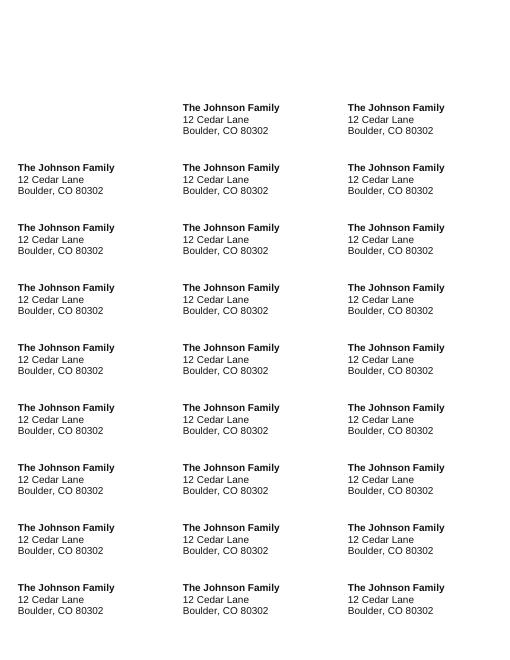
With "Same label on the whole sheet" and 4 labels skipped, the tool reported "Saved 26 label(s) on 1 sheet(s)".
Worked example
Three addresses, then a return-label sheet
Three sample addresses printed in the first row of a 5160-size sheet. A return-address sheet with 4 labels skipped filled the remaining 26 labels on one page.
- Sheet
- 30 per sheet, 2⅝" × 1"
- Fill
- Different address on each label
- Test
- Outlines on, plain paper, actual size
Check the result
- The test print lines up with the label edges.
- No address is cut off or too small to read.
- Printer scaling is "Actual size", not "Fit to page".
Limits and tips
- Avery is a trademark of its owner; this tool is not affiliated and only matches standard sheet sizes.
- Characters outside Western European alphabets are replaced with "?" because the PDF uses standard fonts.
- Printers differ by about 1 mm. Use the test print to check.
Questions
Does it fit Avery 5160?
Yes, the 30-per-sheet layout uses the 5160 size.
Can I import a spreadsheet?
Paste addresses as text, one block per label.
Is my list uploaded?
No, the PDF is made in your browser.
Try it with your own file
Open the tool and review the result before sharing it.